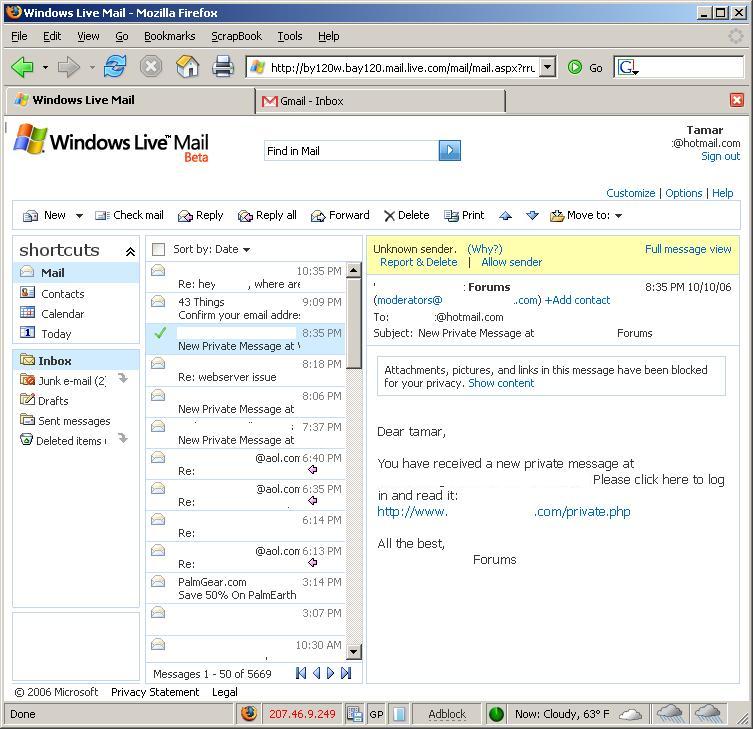
Inside Peek into Windows Live Mail Beta
byWindows Live Mail Beta seems promising, but it lacks some important features that need addressing. Microsoft has not replied to any emails.
woosidebars domain was triggered too early. This is usually an indicator for some code in the plugin or theme running too early. Translations should be loaded at the init action or later. Please see Debugging in WordPress for more information. (This message was added in version 6.7.0.) in /home/techiped/public_html/wp-includes/functions.php on line 6121simplemag domain was triggered too early. This is usually an indicator for some code in the plugin or theme running too early. Translations should be loaded at the init action or later. Please see Debugging in WordPress for more information. (This message was added in version 6.7.0.) in /home/techiped/public_html/wp-includes/functions.php on line 6121
Windows Live Mail Beta seems promising, but it lacks some important features that need addressing. Microsoft has not replied to any emails.
Giving users access to application API encourages creative projects. With Yahoo! Mail’s code being released, we can only expect more of this.